
Why Your Magento 2 Store Passes Your Tests But Fails Google's Core Web Vitals
 By Sobhan Yaghoubi
There is a specific kind of confusion that hits Magento store owners right before a Google Search Console notification lands in your inbox. You ran Lighthouse last week. The score looked acceptable. You checked PageSpeed Insights on your office laptop and everything came back green. Then Google tells you your pages are failing Core Web Vitals and your organic rankings have slipped. What went wrong?
The short answer: you tested on the wrong device, with the wrong tool, measuring the wrong thing. Google does not rank your store based on a desktop Lighthouse simulation. It ranks based on CrUX field data — real interactions from real users on real devices, predominantly mid-range Android phones on mobile connections. If your store has enough traffic, that field data is collected continuously and averaged into the Core Web Vitals report you see in Google Search Console. If your traffic is lower, Google falls back to a broader dataset of similar URLs. Either way, your laptop test is not what counts.
The Three Thresholds Google Actually Measures
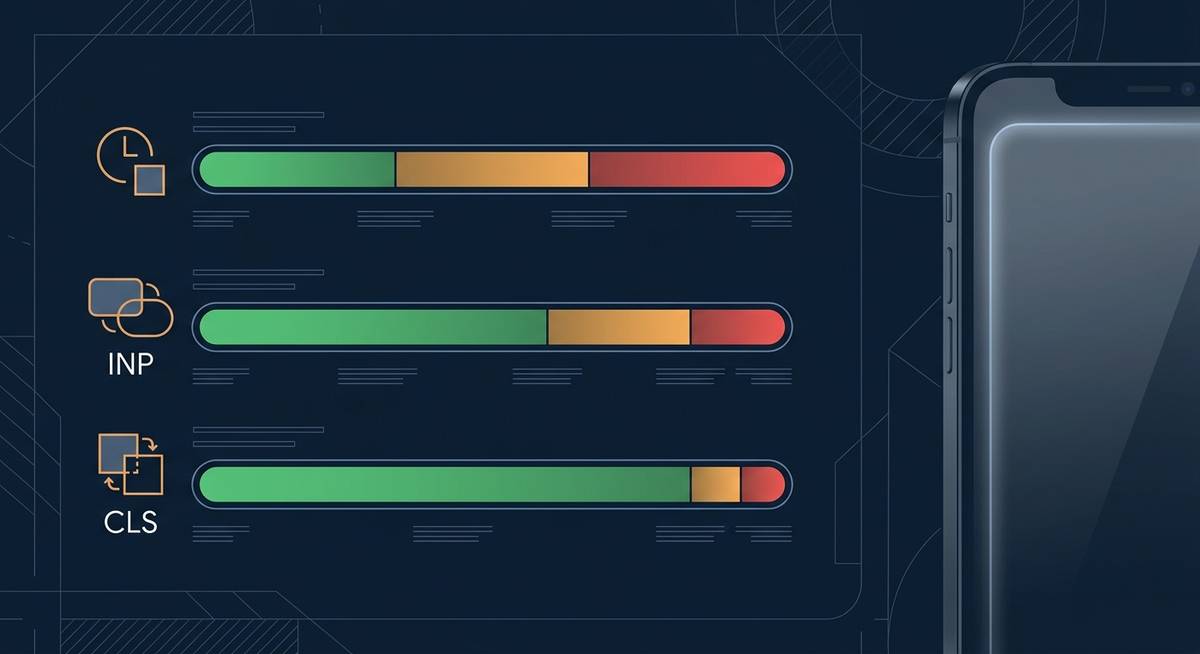
Core Web Vitals track three passing thresholds for the 2024 to 2025 ranking signal. LCP (Largest Contentful Paint) must be 2.5 seconds or less, measuring how long before the main content block is visible. INP (Interaction to Next Paint) must be 200 milliseconds or less, measuring how quickly the page responds to a tap or click. INP replaced FID in March 2024. CLS (Cumulative Layout Shift) must be 0.1 or less, measuring how much the layout jumps around while loading.
To pass, 75 percent of your real-user sessions must hit all three thresholds. Miss one, and your page is classified as needing improvement or poor — and that classification feeds directly into Google's page experience signal.
Where Luma and Standard Magento 2 Themes Break Down
Most mid-market Magento 2 stores are still running Luma or a Luma-derived theme. On a modern laptop with a fast connection, Luma behaves reasonably. On a Moto G Power or a Samsung Galaxy A-series device — the kind of hardware that makes up the bulk of CrUX's mobile dataset — the picture changes considerably.
Luma ships a large, monolithic JavaScript bundle. On a mid-range mobile CPU, parsing and executing that bundle takes meaningful time. The browser cannot paint the largest content element until the main thread is free, which pushes LCP well past 2.5 seconds. The same JS execution cost also dominates INP: every product page interaction — add to cart, swatches, quantity changes — has to queue behind whatever the main thread is finishing. On a fast desktop, that queue clears in milliseconds. On a throttled CPU it can easily exceed 200 milliseconds, failing the INP threshold.
CLS issues on Luma typically trace to images without explicit dimensions, late-loading fonts, and banners injected by third-party extensions after the initial render. These are fixable without a full rebuild, but they are symptoms of a theme that was not designed around Core Web Vitals from the ground up.
Why Server and Cache Tuning Only Solves Part of the Problem
The first instinct when a store fails LCP is to tighten the server stack: add a full-page cache layer, tune Varnish, move to a CDN edge closer to the user, optimize images. These are all legitimate steps and they reduce Time to First Byte, which does help LCP. But TTFB is only one part of LCP. The other part is render time — how long the browser takes to actually paint the element once the bytes have arrived.
If your main thread is blocked by a 400 kB JavaScript bundle that the browser has to parse before it can do anything useful, better hosting does not fix that. You have cut the delivery cost and left the execution cost untouched. In practice, server tuning moves a failing Luma store from around 3.8 second LCP to 3.1 second LCP — still outside the 2.5 second threshold, still failing in field data, still a ranking signal hit.
The same logic applies to INP. INP is a measure of main-thread availability during interaction. No amount of CDN configuration changes how long it takes a mid-range CPU to parse RequireJS and execute Luma's component tree. The fix has to happen in the JavaScript architecture itself.
What a Headless Next.js Build Changes at the Architecture Level
A headless storefront built on Next.js with a Magento 2 GraphQL backend approaches the problem differently. Next.js pre-renders pages at build time or on the server, so the browser receives complete HTML on the first response. There is no client-side hydration blocking the initial paint. LCP fires on that pre-rendered content, not on a JavaScript-assembled DOM.
On the INP side, React components can be code-split per route and loaded progressively. The main thread handles only the code needed for the current interaction, not the entire application. On a mid-range mobile device that translates directly into sub-200 millisecond response times for add-to-cart and swatch selection — the exact interactions that CrUX captures as INP events.
CLS is handled at build time through explicit image sizing, reserved layout slots, and font preloading strategies that are straightforward to enforce in a component-driven codebase where every element is authored deliberately.
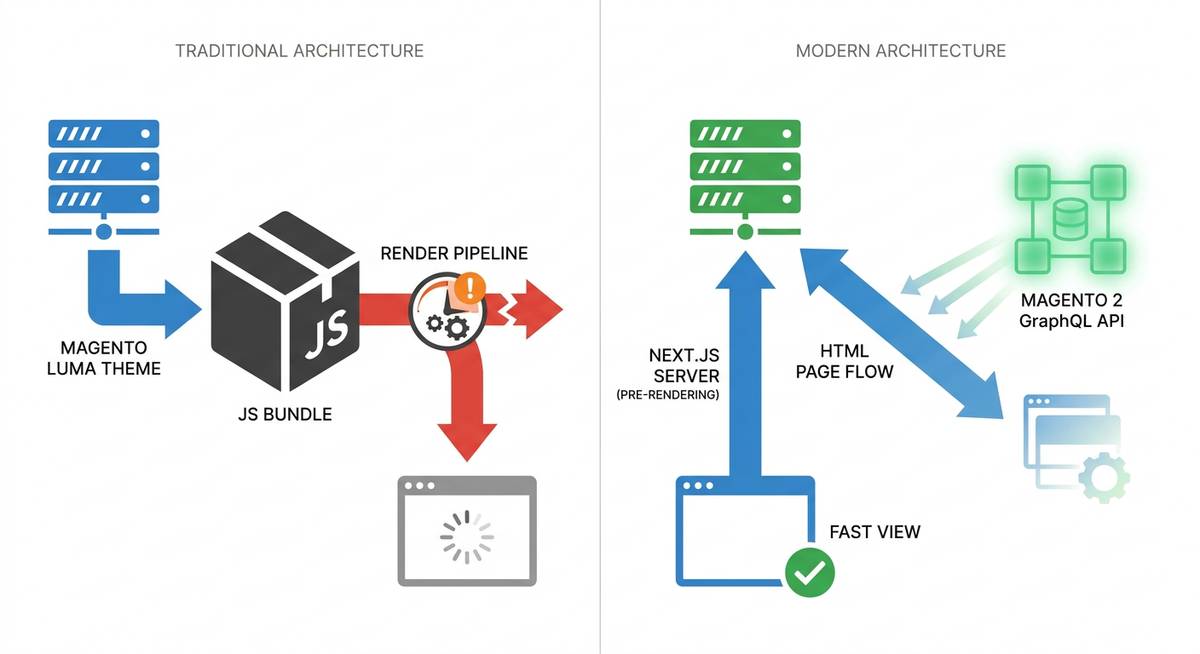
This is the architecture shift that moved Royal Creation — a Swiss handcrafted rug brand — from a Lighthouse score of 45 and an 8.2-second load time to a score of 96 and a 1.4-second load time, with a 34 percent lift in conversion rate. The Magento 2 backend stayed in place. The Luma front end was replaced with a Next.js headless storefront connected via GraphQL. The delivery and execution cost problems were resolved at the source.
How to Read Your Own CrUX Data Before Assuming You Pass
Before drawing conclusions from a Lighthouse run, check your actual field data. Open Google Search Console and navigate to Core Web Vitals. This shows your CrUX-based field assessment, segmented by mobile and desktop. Mobile is what matters for ranking. Run PageSpeed Insights on your key landing pages and scroll past the lab scores to the field data section at the top. If it shows real-user data, that is your baseline. If it shows no field data, your traffic volume is below the CrUX reporting threshold and Google is using an estimated dataset. In Chrome DevTools, use the Performance panel with CPU throttling set to 4x slowdown and network set to Fast 3G. That approximates the conditions under which mid-range Android devices are measured. What you see there is much closer to what Google sees than a default Lighthouse run.
If your mobile LCP is sitting between 2.5 seconds and 4.0 seconds, you are in the needs improvement band. Above 4.0 seconds is poor. Either classification costs you ranking position relative to competitors who pass.
Which Fix Moves Which Metric
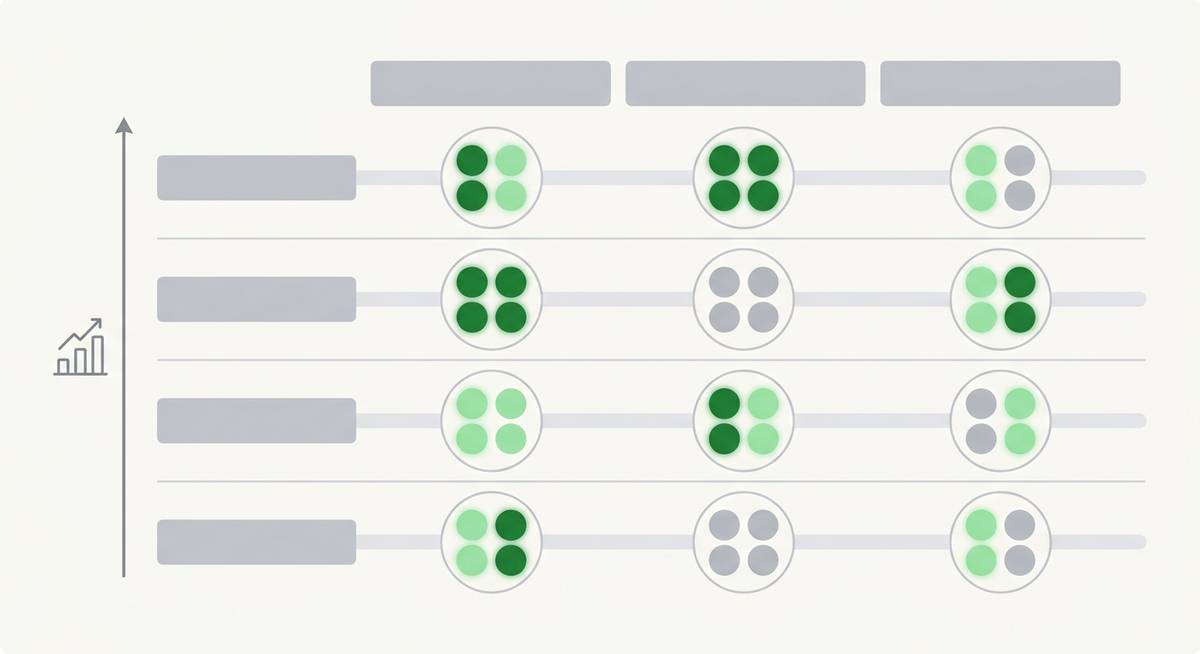
Not every store needs a full headless rebuild to pass Core Web Vitals. Here is a practical map of which interventions move which metrics, from lowest to highest investment.
- CDN plus image optimization plus explicit image dimensions: improves LCP on the delivery side and also improves CLS. This is suitable as a first pass for stores already close to the LCP threshold.
- Third-party script audit and deferral: improves INP and LCP. Extension-heavy Magento stores often carry 8 to 12 third-party scripts that fire on page load and block the main thread.
- Hyva theme migration: delivers significant INP and LCP improvement over Luma, because Hyva replaces RequireJS and KnockoutJS with Alpine.js and a much smaller JavaScript footprint. This is a practical middle path for stores not ready for full headless.
- A headless Next.js rebuild: resolves the root cause for LCP, INP, and CLS simultaneously. It carries the highest investment but the most durable result, and is the only approach that carries a 90 percent or higher Lighthouse guarantee at Vesta-Web.
Getting a Baseline You Can Actually Trust
The starting point for any serious Core Web Vitals remediation is an audit that measures what Google measures: mobile field data, not a desktop lab run. At Vesta-Web, our discovery process begins with a documented Lighthouse baseline on throttled mobile conditions, a CrUX field data review, and a root-cause breakdown that tells you exactly which metric is failing, why it is failing, and what intervention level is warranted.
Our team has operated exclusively in Magento 2 and Adobe Commerce since 2018, with 20 or more Adobe Commerce-certified developers who have worked through every variation of this problem — from Luma stores that need targeted tuning to enterprise Adobe Commerce builds that need a full headless layer. We guarantee a 90 percent or higher Lighthouse score on every headless build we deliver.
If your Google Search Console is showing Core Web Vitals failures on mobile, or if you have never verified your field data against the thresholds above, the logical next step is a free performance audit. You will get a concrete picture of where your store stands against the CrUX thresholds and a clear recommendation on what to do about it — no commitment required.

Ready to Transform Your Store?
Get a free performance audit from our certified Magento 2 team.
Get a Free QuoteMore Articles

Sat Jul 11 2026 · 14
What Does Headless Magento 2 Cost? A Realistic Breakdown

Mon Jun 29 2026 · 11
Magento 2 Lighthouse Score: 45 to 96 (A Real Case Study)

Sat Jun 27 2026 · 6
Headless Magento 2 Explained: What Decoupling the Frontend Actually Does

Sat Jun 27 2026 · 7