
Magento 2 Lighthouse Score: 45 to 96 (A Real Case Study)
 By Sobhan Yaghoubi
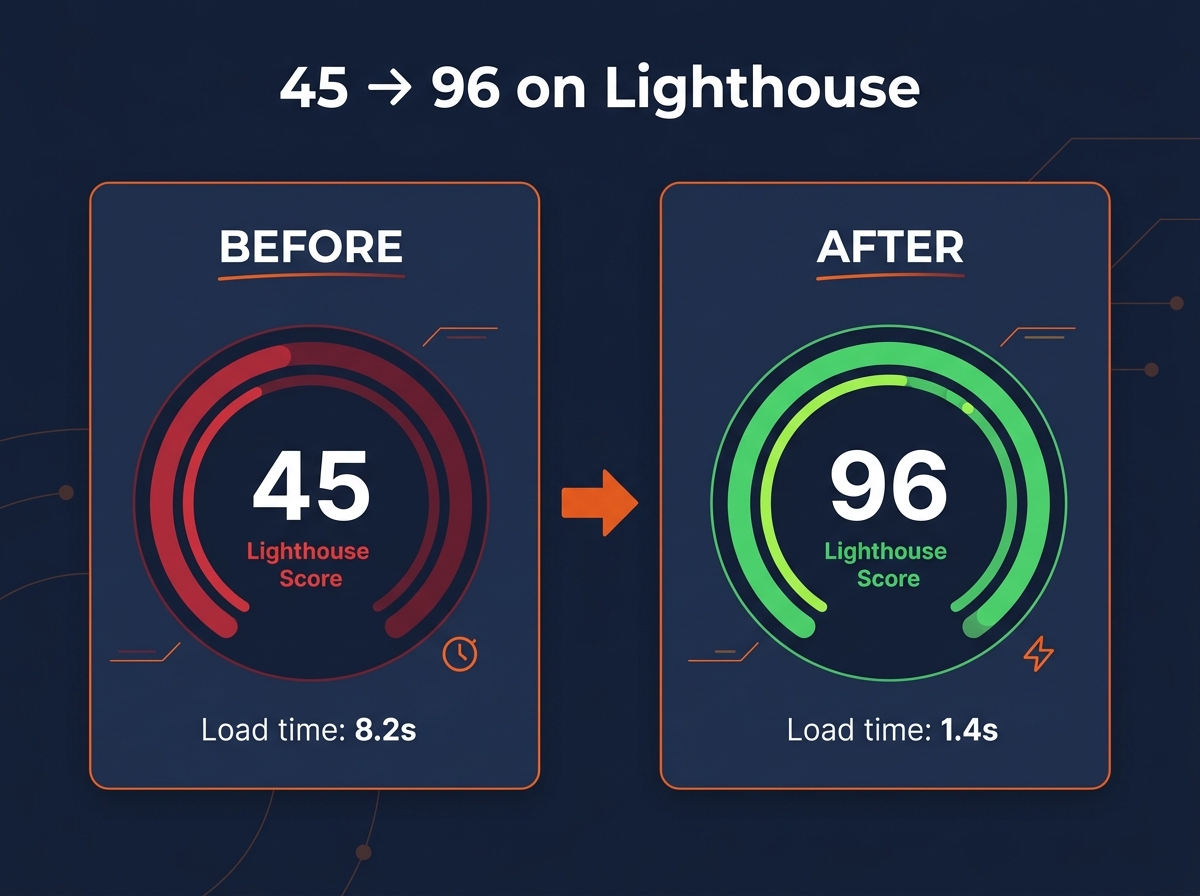
A Magento 2 store scoring 45 on Lighthouse, taking 8.2 seconds to load on mobile. After we rebuilt its storefront: 96, and 1.4 seconds. Here's the honest part most "fix your Magento speed" articles skip — that jump didn't come from a checklist of tweaks. It came from a rebuild.
This is a real before/after, not a generic list of 21 tips. Below we walk through what was actually slow on the store, what we changed, the measured result, and the cases where a 90+ score genuinely isn't reachable. If your Magento 2 store feels sluggish and you're tired of advice that never shows a number, this one's for you.
Key Takeaways
We rebuilt a slow Magento 2 Luma storefront as a headless Next.js frontend on the same Magento backend. Lighthouse performance went from 45 to 96 and load time from 8.2s to 1.4s.
On that store, conversion rose 34% after the rebuild — speed is a revenue lever, not a vanity metric.
A 90+ score isn't always reachable. Heavy third-party scripts, weak hosting, and lab-vs-field gaps set real ceilings, and we're upfront about them.
What does a 45 Lighthouse score actually look like?
In 2026, ecommerce conversion still peaks when pages load in roughly one to two seconds and falls off a cliff after that — Portent's analysis of 94 million page views found conversion rate dropping from about 3.05% at a one-second load to roughly 0.67% by four seconds (Portent, "Site Speed Is Hurting Everyone's Revenue", 2022). At 8.2 seconds, this store was deep in that dead zone.
The store was a stock Magento 2 Luma build — a handcrafted-rug retailer in Switzerland, Royal Creation. Luma is Magento's default theme, and it was built for a different era of the web. It renders pages with server-side PHP and Knockout.js, ships heavy JavaScript and CSS, and leaves you fighting for every point of mobile performance.
What does a 45 look like in practice? A high Time to First Byte before a single pixel paints. A render-blocking wall of CSS and JavaScript. Hero images shipped at the wrong size and format. And a stack of third-party scripts — chat, analytics, marketing tags — fighting for the main thread. None of those is exotic. Together they're why a "normal" Magento store lands in the 40s on mobile.
What we saw first-hand: the single biggest surprise wasn't the server — it was a third-party chat widget eating hundreds of milliseconds of interaction delay that no quick desktop test ever flagged. The lab score and the real experience were telling two different stories.
Why is your Magento 2 store slow?
Most "slow Magento" is not one problem — it's three layers stacked on top of each other, and fixing the wrong one first wastes your budget. In 2026 the three layers are the same as ever: the server and Time to First Byte, the frontend, and the third-party scripts bolted on after launch.
The server layer is where Time to First Byte lives: full-page cache, Varnish, Redis, the database, your PHP version and OPcache settings, and the search engine (Elasticsearch or OpenSearch). A fast frontend on a slow server still feels slow, so this is where honest performance work usually starts.
Lighthouse metric | Share of the performance score |
|---|---|
Total Blocking Time | 30% |
Largest Contentful Paint | 25% |
Cumulative Layout Shift | 25% |
First Contentful Paint | 10% |
Speed Index | 10% |
Source: Lighthouse 10+ performance weighting (Google Lighthouse scoring), 2024.
Why does the weighting matter? Because Total Blocking Time, the lab proxy for how janky a page feels, is worth 30% of your score on its own — more than the largest image. Add Largest Contentful Paint and layout shift, and three metrics decide 80% of the number. That's a useful map: it tells you most Magento slowness is JavaScript execution and a slow first byte, not the things people usually blame.
According to Google research, 53% of mobile visitors abandon a site that takes longer than three seconds to load (Google/SOASTA, via Marketing Dive, 2017). On a heavy Luma store, three seconds is optimistic. The point isn't the exact figure — it's that the slowest layer is the one quietly costing you the most, and the audit's whole job is to find which layer that is. For a full diagnosis of your own store, this is what a Magento 2 performance optimization engagement opens with.
Lighthouse vs Core Web Vitals — why the lab score lies
Here's a trap that catches a lot of merchants: a Lighthouse score is a single lab test on one simulated device, while Core Web Vitals in Google Search Console is field data from your real users. They diverge — a 96 in Lighthouse can still fail Core Web Vitals when actual visitors are on mid-range phones and patchy networks.
The three Core Web Vitals have clear thresholds. In 2026 the "good" bars are Largest Contentful Paint at or under 2.5 seconds, Interaction to Next Paint at or under 200 milliseconds, and Cumulative Layout Shift at or under 0.1, all measured at the 75th percentile of real visits (Cloudflare, "INP: get ready for the new Core Web Vital", 2024).
One change matters more than the rest for Magento. On March 12, 2024, Interaction to Next Paint officially replaced First Input Delay as a Core Web Vital (Cloudflare, 2024; Google Search Central, 2023). INP measures how long the page takes to respond across every interaction, not just the first tap — and it's the metric Magento stores fail most, because Luma's JavaScript keeps the main thread busy. If you're still optimizing for FID, you're tuning for a metric that no longer exists.
This is why we baseline field data before we touch the lab number. A pretty Lighthouse screenshot is easy to manufacture; a passing Core Web Vitals report from real shoppers is not. Anyone who quotes you a target score without mentioning field data is selling you a number, not a faster store.
What we actually changed (the Royal Creation rebuild)
Time for the honest version. On this store, tuning the existing Luma frontend had a low ceiling, so we didn't chase points on the old architecture — we rebuilt the storefront as a headless Next.js frontend talking to the same Magento 2 backend over GraphQL. That architectural change is what moved the score from 45 to 96. It was a rebuild, not a sequence of plugin tweaks.
What does "headless" mean here? Magento kept doing what it's genuinely good at — catalog, pricing, promotions, orders, and the admin the team already knew — while a modern React frontend took over everything the shopper sees. That separation is the lever. It let us server-render category and product pages for fast, crawlable HTML, ship a fraction of the JavaScript, and control exactly what loads and when.
Metric | Before (Luma) | After (headless) |
|---|---|---|
Lighthouse performance (mobile) | 45 | 96 |
Load time | 8.2s | 1.4s |
Conversion rate | — | +34% |
Source: Vesta Web Agency project, royal-creation.ch.
The toolkit inside that rebuild is the standard one done properly: responsive AVIF and WebP images, code-splitting so each page ships only what it needs, critical CSS, a disciplined font-loading strategy, tight control over third-party scripts, edge caching, and a performance budget enforced in continuous integration so the numbers couldn't quietly slide back. We won't pretend to hand you a tidy "Varnish added eight points, images added five" breakdown — that's not how a rebuild measures, and inventing per-fix deltas would be dishonest. What we can stand behind is the measured outcome: 45 to 96, 8.2s to 1.4s, and a 34% lift in conversion.
The rebuild was the right call here because speed directly drove revenue and the store had outgrown what Luma could give. That's not true for every store, which is exactly why the next section exists. If you're weighing the same move, our headless Magento 2 development page lays out when it pays off and when it doesn't.
What can you fix without a full rebuild?
Not every store needs — or should pay for — a headless rebuild. Plenty of Magento 2 stores can go from failing to genuinely good with focused work on the existing frontend, and the highest-ROI changes are well understood. Here's the order we'd attack them.
The biggest single lever short of headless is a Hyvä theme migration. Hyvä replaces Luma's KnockoutJS and RequireJS stack with Alpine.js and Tailwind, cutting the JavaScript payload dramatically — practitioner benchmarks consistently report Luma's 300KB-plus of frontend JavaScript dropping to a small fraction of that on Hyvä (Hyvä performance benchmarks, practitioner consensus, 2024–2026). Verify the exact numbers on your own build, but the direction is reliable: less JavaScript means lower Total Blocking Time and better INP.

After the theme, work down the stack in this order:
Full-page cache via Varnish — a reverse proxy that serves cached HTML with zero PHP execution. It's Adobe's recommended production cache and the fastest way to cut TTFB on cacheable pages.
Production mode plus asset optimization — developer mode alone tanks performance; production mode with JavaScript and CSS minified, merged, and bundled cuts request count and payload. Cheap, high-impact, and frequently misconfigured.
Lazy-loading and modern image formats — defer offscreen images and serve WebP or AVIF to cut bytes and improve Largest Contentful Paint.
Critical CSS and deferred JavaScript — remove render-blocking resources so the page paints sooner.
Trim third-party scripts — tag managers, chat widgets, and pixels are the top hidden INP killers.
Then there's the layer almost no checklist mentions, and the reason stores "do everything and still score 70": infrastructure. OPcache left on defaults, sessions and cache crammed into the wrong backend, or MySQL doing search work that belongs in Elasticsearch. The clean split is Redis for sessions and cache, Varnish for full-page cache, OpenSearch or Elasticsearch for catalog search, and a current PHP version with OPcache tuned to Adobe's recommendations. Get those right and the rest of the work has something solid to stand on. Keeping all of it from drifting over time is what ongoing Magento 2 support is for.
When will this not work?
Time for the part no competitor's checklist includes: sometimes a 90+ Lighthouse — and especially a passing Core Web Vitals report — isn't reachable, and you deserve to know that before you spend the budget. Optimization has limits, and an honest practitioner names them instead of billing hours against a wall.
A 96 Lighthouse score is a lab result. Real users on slow phones and congested networks can still push your field Interaction to Next Paint past the 200-millisecond "good" bar and into the "poor" range above 500 milliseconds (Cloudflare, 2024). Lab and field are different measurements, and only one of them is what Google ranks on.
So when does speed work stall? In our experience, these are the usual ceilings:
Third-party marketing scripts the client won't remove. A Google Tag Manager container stuffed with pixels, plus heatmaps, review widgets, and retargeting tags, can dominate INP. If marketing vetoes cutting them, the field metrics may never go green.
Shared or underpowered hosting. Magento's PHP and database demands outgrow cheap hosting fast. You can't cache your way out of a starved server.
A huge, unoptimized catalog. Hundreds of thousands of SKUs with unindexed attributes and oversized source images cap what indexing and caching can do.
Page-builder bloat. Adobe Page Builder and similar tools generate nested DOM and inline styles that inflate layout shift and blocking time and resist cleanup.
Extension sprawl. Poorly coded modules that inject render-blocking JavaScript on every page — sometimes the bottleneck is one you can't safely remove.
Non-cacheable pages. Logged-in, customer-specific B2B pricing bypasses full-page cache, so Varnish gains don't apply evenly.
When the ceiling on your current setup is low, we'll say so and point you toward the rebuild path — Hyvä or headless — rather than sell you a number we can't hit. Honesty about the ceiling is the whole reason the Royal Creation story ended at 96 instead of a vague "much faster."
Frequently Asked Questions
Can a Magento 2 store really hit a 90+ Lighthouse score?
Yes, on the right architecture. Our headless rebuild of Royal Creation reached 96 from a starting point of 45. On a heavy Luma store with many extensions there's a real ceiling, and a 95+ mobile score often isn't realistic without a Hyvä or headless change. The honest answer depends entirely on your build.
Is the 45 to 96 result from optimization or a rebuild?
A rebuild. We replaced the Luma storefront with a headless Next.js frontend on the same Magento 2 backend, which is what moved the score from 45 to 96 and load time from 8.2s to 1.4s. In-place tuning of the old theme has a lower ceiling — we're explicit about that distinction rather than implying a checklist did it.
Will improving Core Web Vitals help my Google ranking?
Core Web Vitals are a confirmed ranking signal, but one factor among many, so fixing them won't outrank great content on its own. The larger, more reliable win is conversion: Portent found ecommerce conversion peaking near a one-to-two-second load (Portent, 2022). We treat ranking as a bonus and revenue as the goal.
Hyvä or headless — which makes Magento faster?
Both make Magento faster at different levels and costs. Hyvä replaces Luma's heavy frontend with a lean Alpine.js and Tailwind theme — a cost-effective win for many stores. Headless goes further, replacing the whole frontend with a React or Next.js app for app-like speed and flexibility, at higher cost and complexity. The right choice is a budget-and-ceiling tradeoff, not a default.
Why does my store score 95 in Lighthouse but fail Core Web Vitals?
Because they measure different things. Lighthouse is a lab test on one simulated device; Core Web Vitals in Search Console is field data from real users on real phones and networks. A 95 lab score can still fail field Interaction to Next Paint, whose "good" threshold is 200 milliseconds at the 75th percentile (Cloudflare, 2024).
The honest takeaway
A slow Magento 2 store is a fixable problem, but the fix has to match the cause. Here's what this case study really shows:
The win was real and measured: 45 to 96 Lighthouse, 8.2s to 1.4s, and a 34% conversion lift on Royal Creation.
It came from a headless rebuild, not a checklist — and we won't pretend otherwise.
Measure field data before chasing a lab score, and respect the ceiling: third-party scripts, hosting, and catalog size set hard limits.
The most useful thing we can give you isn't a generic list — it's the realistic number for your architecture. Get a free performance audit and we'll baseline your Core Web Vitals and tell you honestly how far speed work can take your store, and whether a rebuild is worth it.
Sources
Portent, "Site Speed Is Hurting Everyone's Revenue" (94M-pageview ecommerce dataset), retrieved 2026-06-29, portent.com
Google / SOASTA mobile abandonment data, via Marketing Dive, retrieved 2026-06-29, marketingdive.com
Cloudflare, "INP: get ready for the new Core Web Vital," retrieved 2026-06-29, blog.cloudflare.com
Google Search Central, "Introducing INP," retrieved 2026-06-29, developers.google.com
Google / Deloitte, "Milliseconds Make Millions," retrieved 2026-06-29, thinkwithgoogle.com
Hyvä theme performance benchmarks (practitioner consensus), retrieved 2026-06-29, dev.to
Vesta Web Agency project data, Royal Creation (royal-creation.ch)

Ready to Transform Your Store?
Get a free performance audit from our certified Magento 2 team.
Get a Free QuoteMore Articles

Sat Jul 11 2026 · 14
What Does Headless Magento 2 Cost? A Realistic Breakdown

Sat Jun 27 2026 · 6
Headless Magento 2 Explained: What Decoupling the Frontend Actually Does

Sat Jun 27 2026 · 7
The Pre-BFCM Performance Checklist for Magento 2 Stores

Thu May 28 2026 · 8